Malaysia’s Inland Revenue Board (LHDN) has introduced two features to make e-Invoice issuance more convenient, reducing the need to repeatedly ask customers for their Tax Identification Number (TIN) and other details.
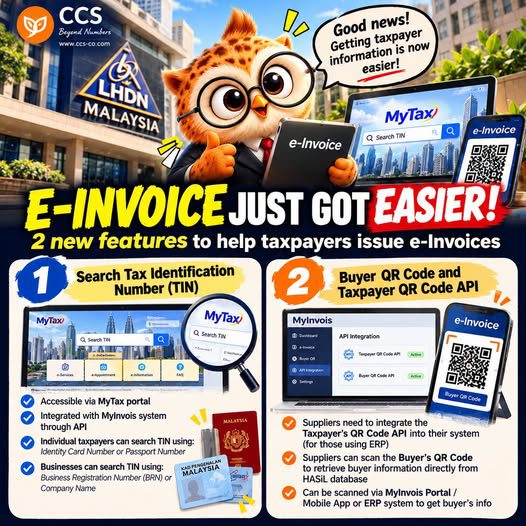
1. Tax Identification Number Search
TINs can be searched through the MyTax portal using:
- an individual’s identity card or passport number; or
- a business’s Business Registration Number (BRN) or company name.
The search function can also be integrated with MyInvois through an API.
2. Buyer QR Code and Taxpayer QR Code API
Suppliers can scan a buyer’s QR code to retrieve the relevant information. This feature is available through the MyInvois Portal, the mobile app or ERP systems. Businesses using an ERP system will need the relevant API integration.
Previously, suppliers might have had to ask customers for their TIN and company details—and perhaps a little patience. Now, they can search or scan to make the process easier.
Convenience does not replace verification. Always check that the buyer’s information is accurate before issuing an e-Invoice.
CCS | Beyond Numbers
马来西亚 e-Invoice 流程更便利:新增TIN查询与二维码功能
马来西亚内陆税收局(LHDN)推出两项便利功能,让 e-Invoice 的开具流程更顺畅,也减少供应商反复向客户索取税务识别号码(TIN)及其他资料的情况。
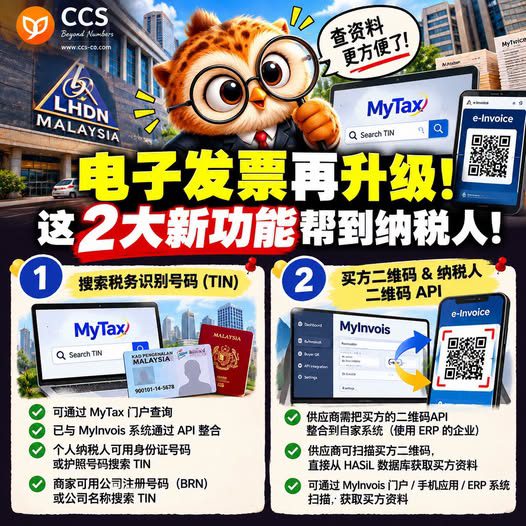
1. 税务识别号码(TIN)查询
可通过 MyTax 门户查询TIN:
- 个人:使用身份证号码或护照号码;
- 企业:使用商业注册号码(BRN)或公司名称。
查询功能也可通过API与MyInvois整合。
2. 买方二维码与纳税人二维码API
供应商可扫描买方提供的二维码,以获取相关资料。此功能可通过MyInvois门户、手机应用程序或ERP系统使用。使用ERP系统的企业需要进行相关API整合。
以前,供应商可能需要向客户索取TIN和公司资料,还得多一点耐心。现在可以通过查询或扫码,让流程更方便。
不过,方便并不代表可以免于核实。开具 e-Invoice 前,仍须确认买方资料准确无误。
CCS | Beyond Numbers